
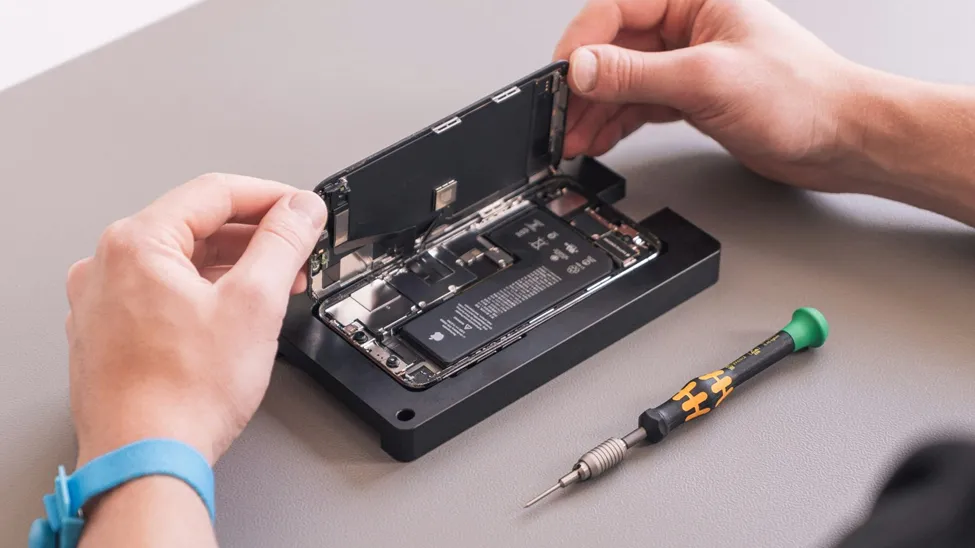
Apple devices are known for their smooth performance, but everyday use can eventually lead to problems such as cracked screens, battery drain, charging failures, liquid damage, software glitches, and hardware faults. Recognizing these issues early can help prevent minor faults from becoming more complicated and costly. While some basic problems can be resolved through simple troubleshooting, persistent or physical damage often requires professional attention.
Understanding the factors that influence Apple repair prices can also help users plan repairs more effectively. A proper diagnosis ensures the right component is addressed, protects important data, and helps restore the device to reliable working condition.
Screen Damage and Display Problems
A cracked or malfunctioning screen is one of the most noticeable Apple device problems. Drops, pressure, and accidental impacts can cause cracks, flickering, dark areas, touch issues, or complete display failure.
Minor scratches may not affect functionality, but a heavily damaged screen can make the device difficult or unsafe to use. Display problems can also indicate internal damage following an impact.
Professional inspection becomes particularly important when the screen is black, shows unusual lines, responds inconsistently to touch, or develops problems after a drop. Technicians can determine whether the issue is limited to the display assembly or whether additional internal components have been affected.
Battery Drain and Charging Problems
Battery performance naturally decreases with age and repeated charging cycles. However, unusually fast battery drain, overheating, unexpected shutdowns, or difficulty holding a charge can indicate that professional service is needed.
Charging problems can have several causes. A damaged charging port, faulty cable connection, battery issue, software problem, or internal power fault may produce similar symptoms. Replacing a component without identifying the actual cause may not solve the problem.
A professional diagnostic check helps establish whether the battery, charging system, or another internal component requires attention. This approach is especially useful when a device has started shutting down unexpectedly or refuses to charge consistently.
Charging Port and Connectivity Problems
A device that only charges when the cable is positioned at a certain angle may have a damaged or obstructed charging port. Dust and debris can sometimes interfere with the connection, while physical damage can affect the port itself.
Professional technicians can inspect the charging connection and determine whether cleaning, component repair, or replacement is appropriate. The same principle applies to connectivity issues involving Wi-Fi, Bluetooth, or other hardware-related functions.
For users searching for an iPhone service center Dubai, checking whether the repair provider performs proper diagnostics before recommending a solution is an important consideration.
Water and Liquid Damage
Liquid exposure can become a serious problem even when an Apple device appears to work normally immediately afterward. Moisture can reach internal components and potentially cause corrosion, electrical shorts, or progressive failures.
If a device has been exposed to water or another liquid, continued use may increase the risk of internal damage. Charging a wet device can be particularly problematic.
Professional assessment can help determine the extent of the damage and whether internal cleaning or component-level repair is required. The sooner the device is assessed, the better the opportunity to prevent additional complications.
Motherboard and Internal Hardware Failures
Some of the most complex Apple device issues involve internal hardware, with symptoms such as power failure, unexpected restarts, display problems, overheating, charging faults, or intermittent operation.
These issues may originate from the motherboard or logic board. Professional repair services can diagnose motherboard and liquid damage, including shorts, corrosion, and power faults.
Since internal repairs require specialized tools and expertise, attempting DIY solutions can worsen the damage. Professional diagnosis is recommended when basic troubleshooting fails to resolve persistent hardware problems.
Software and Performance Issues
Not every Apple device problem requires hardware replacement. Slow performance, application crashes, system errors, startup problems, and data-related issues can sometimes originate from software.
Before replacing hardware, technicians should establish whether the problem is software-based or hardware-related. The website highlights diagnostic evaluation for determining whether a MacBook fault originates from hardware, software, or deeper internal components.
Keeping the operating system updated, maintaining adequate storage, removing unnecessary applications, and regularly backing up important files can also help maintain reliable performance.
When Should You Choose Professional Repair?
Professional repair is worth considering when:
The Device Will Not Turn On
Complete power failure can result from battery, charging, power circuit, or motherboard problems. A technician can identify the underlying fault instead of assuming the battery is responsible.
The Device Has Suffered Physical Damage
A major drop or impact can affect internal components even when the external damage appears limited. Professional inspection can identify hidden faults.
Liquid Has Entered the Device
Liquid damage can progress over time. Stopping use and seeking professional assessment can help reduce the possibility of further internal damage.
Basic Troubleshooting Has Failed
Restarting, updating software, checking accessories, and other basic steps can resolve minor problems. If the issue continues, professional diagnostics can identify less obvious causes.
What to Consider Before Approving a Repair
Before agreeing to repair work, users should understand the diagnosis, expected repair method, estimated cost, warranty terms, and likely turnaround time. Repair pricing can vary depending on the device model, component involved, part availability, and condition. The website notes that listed repair prices are indicative and that final pricing is confirmed after diagnostic inspection.
It is also useful to ask whether the repair includes testing after completion. A complete post-repair check can help confirm that the original issue has been resolved and that other functions remain operational.
Conclusion
Apple devices can develop problems ranging from battery and charging faults to screen damage, liquid exposure, software errors, and complex motherboard issues. Recognizing warning signs early and choosing professional diagnosis can protect the device and important data while avoiding unnecessary repairs. Understanding factors that influence Apple repair prices also helps users make better decisions based on the actual fault, device model, parts required, and service involved.
With reliable technical expertise and comprehensive repair solutions, 800Fixing provides Apple device repair services covering iPhone, iPad, MacBook, iMac, and Apple Watch devices. Its services include screen and battery replacement, motherboard repair, liquid damage recovery, diagnostics, software support, pickup and delivery, and warranty support for eligible repairs. With experienced technicians and structured inspections, 800Fixing focuses on identifying the actual issue before repair.